










This guide is only applicable to online courses with Zoom option
- Alumni are required to enter the zoom meetings with your UST project account provided by MBA office before the course commencement.
- Unauthorized access will be removed immediately. Please do not share the zoom information, password and videos to individuals who are not enrolled or are outsiders.
- Always turn on the camera for class participation and interaction.
1. Download Zoom Client for Meetings from https://hkust.zoom.us/download on your laptop
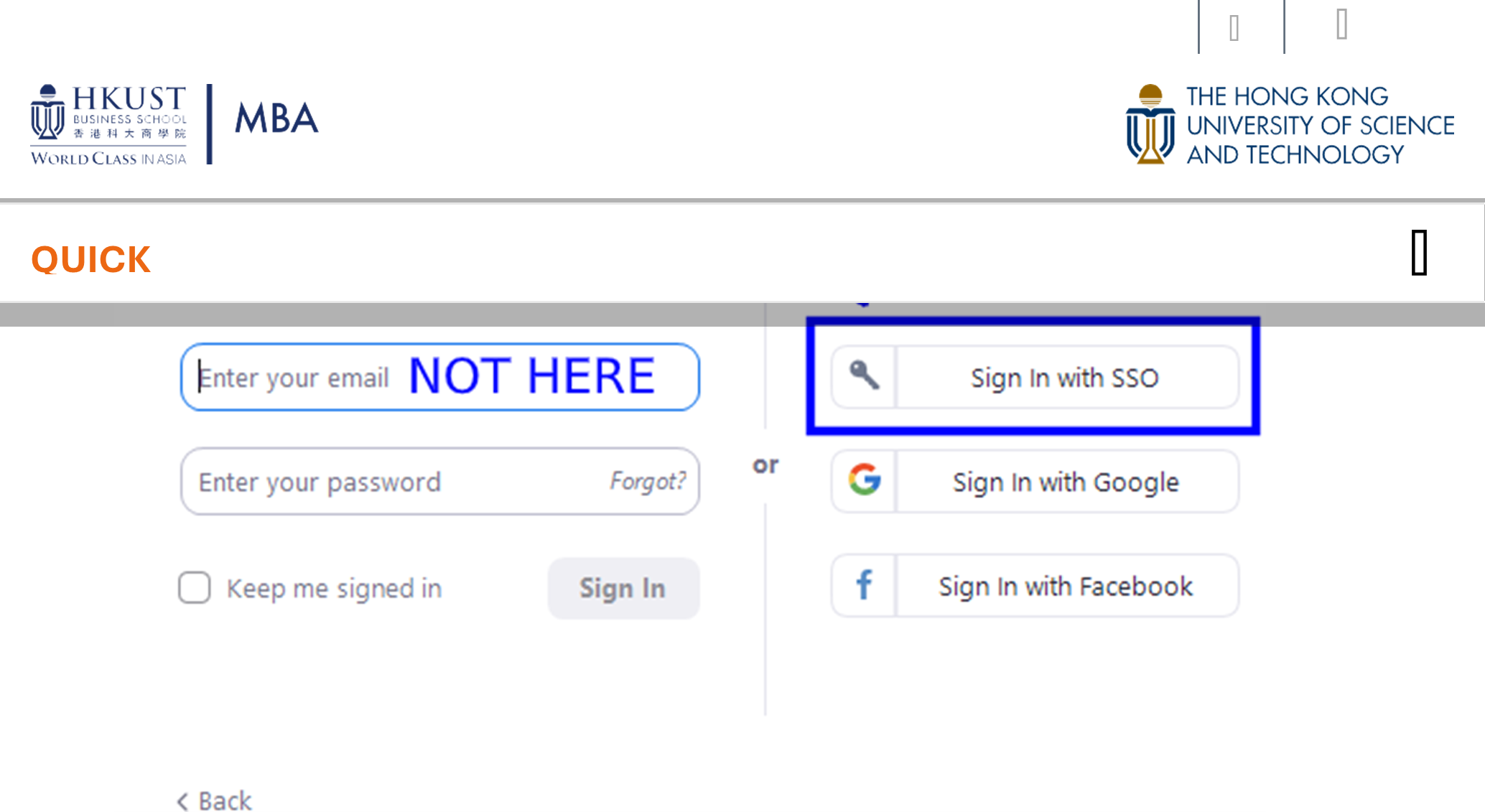
2. Start the installed Zoom software > Click Sign In > Click “Sign in with SSO” button
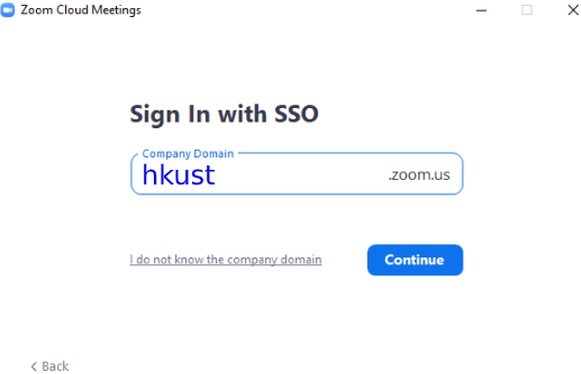
3. On the Sign In with SSO page > Type "hkust" in the Company Domain field > Click “Continue”
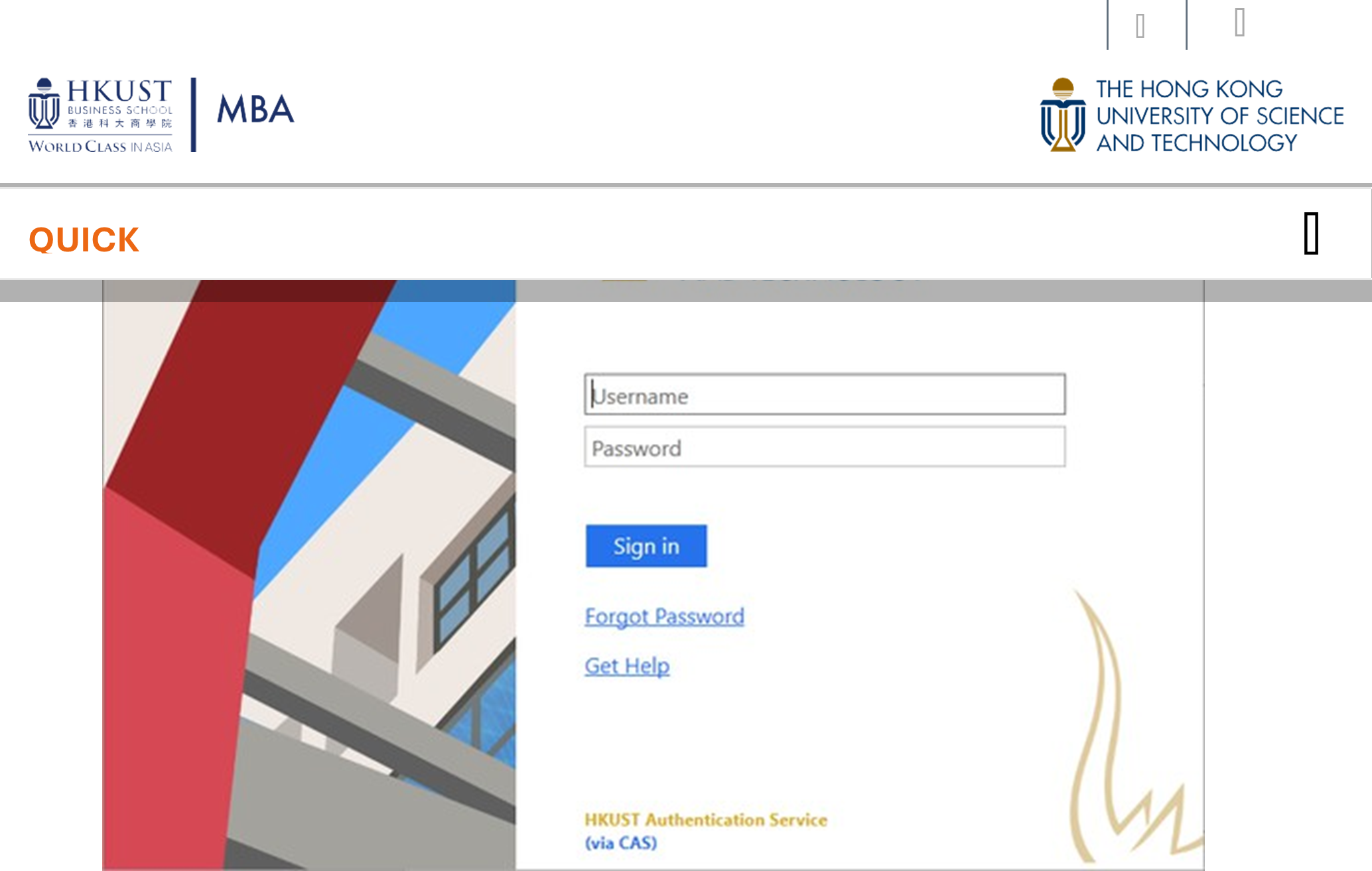
4. It will direct you to the HKUST Authentication Service webpage. Sign-In with your UST project account and password.

5. Upon successful sign in > Click Launch Zoom button on web> Click “Join”
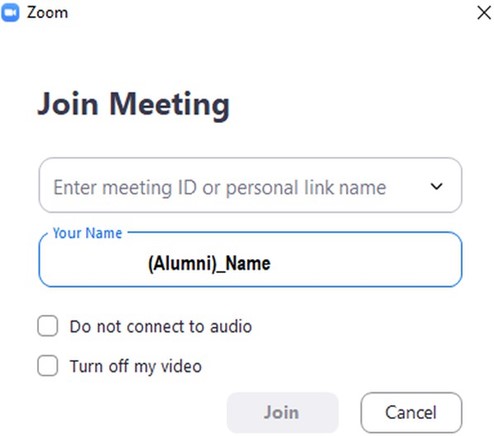
6. Join the Zoom class meeting
- Find the meeting link/ ID and password from Canvas course page to join the class.
- Set your display name as “Alumni)_Name” to facilitate attendance tracking. Failure to display your name properly may result in being marked absent.
- To change your display name, go to the “participant list” > Locate your name> Click on your name> Click “rename” and update your display name to the specified format.
Watch Zoom tutorial videos: https://learn-zoom.us/show-me
Suggested settings on how to protecting your meetings in the Zoom : https://itso.hkust.edu.hk/services/academic-teaching-support/classroom-teaching-facilities/zoom-online-teaching/best-practices-protecting-zoom-meetings
Tips for stable zoom performance
- Always use laptop/PC and headphone with microphone
- Stable internet Avoid using Microsoft Edge
- You may access Zoom at https://hkust.zoom.us, it is accessible in Hong Kong, oversea as well as China Mainland.
How to test your zoom audio and camera?
- Test audio instruction link: https://support.zoom.us/hc/en-us/articles/115002262083-Joining-a-Test- Meeting
- Get your laptop camera, audio device and test both speaker and mic ready: http://zoom.us/test