










- HKUST Canvas is an e-learning platform where faculty and MBA office will upload course-related materials, lecture notes, broadcast announcements and host group discussion.
- A canvas course page invitation will be sent to you once it is published by the instructor, normally 1-2 days before the course commencement. Please accept it for to access the page.
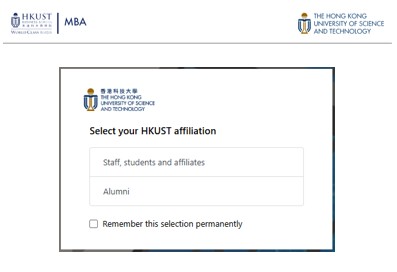
1. Canvas login with your UST project account
- Visit Canvas https://canvas.ust.hk/ and choose "Staff, students and affiliates".
*If you can’t see this option, use a private/incognito browser for access.
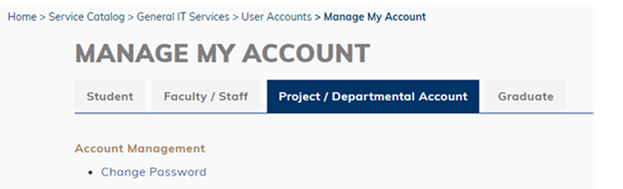
2. Login with HKUST project account provided by Academic Planning Team. The account details will be emailed to registered alumni one week prior to course commencement.
*Change your UST project account password – link (Click “Project account” > “Change Password”)
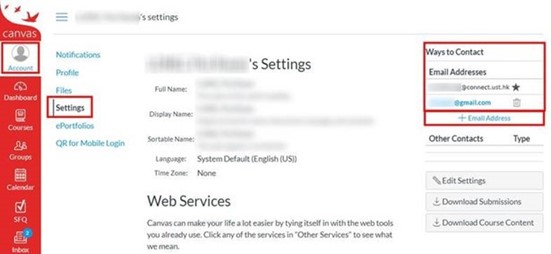
3. [IMPORTANT] Recommended setting on first-time login – Receiving course announcement through personal email
By default, important course announcements from Canvas will be sent to your HKUST project account. If you prefer to receive them in your personal email, follow the steps below.
3.1 Go to Canvas > “Account” (left menu) > Settings > “+ Email Address” (Under the column “Ways to Contact” on the right-hand side). Make you’re your personal email default by marking it with a “star ★” if you want to set the personal email as default.
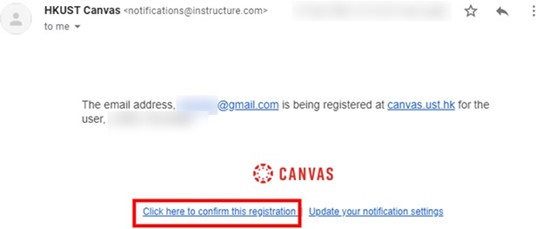
3.2. Check your personal email and look for the confirmation email from Canvas > Select “Click here to confirm this registration”. If the email is not in your inbox, please check your spam box.
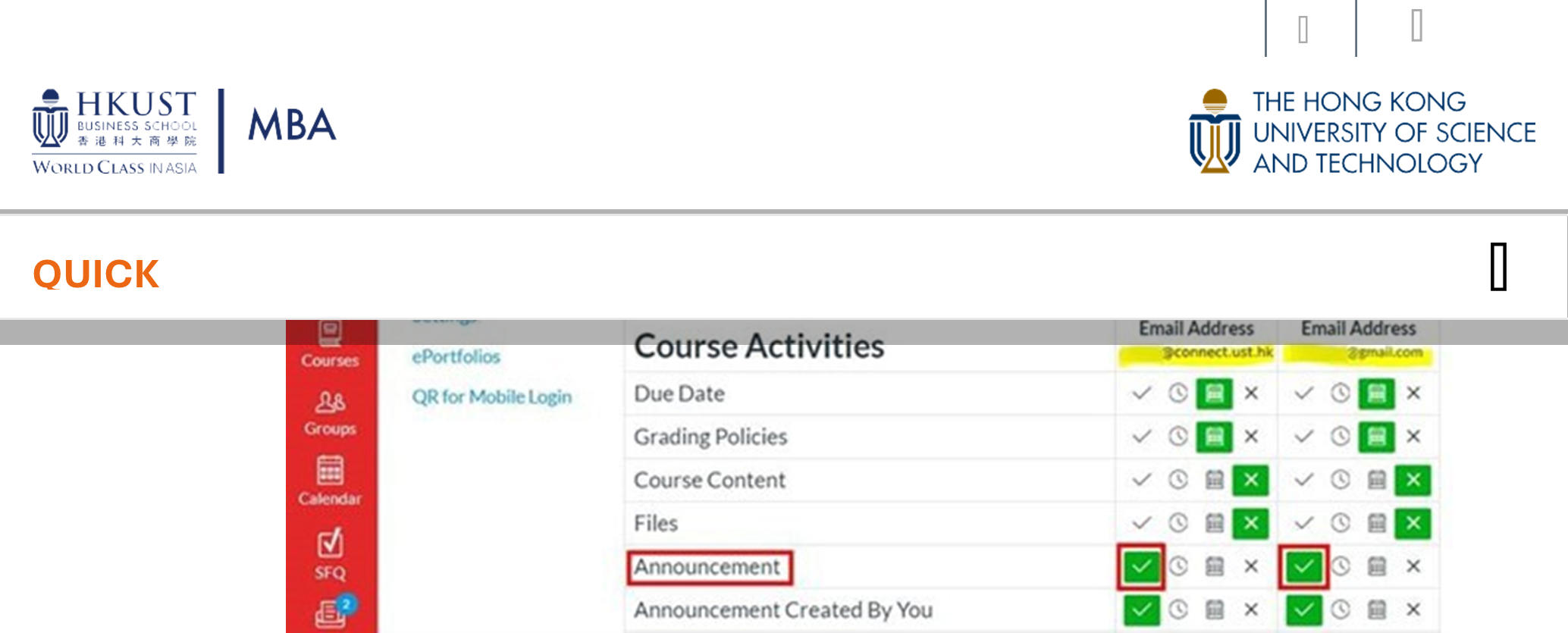
3.3. Upon confirming the registration, you may further customize the notification setting:
Go to Canvas > “Account” (left menu) > “Notifications” > Adjust preferences of all your registered emails.
Please make sure the “Announcement” option under Course Activities is always enabled.
You may visit HKUST Canvas User Guide for more information.
Important note: All course materials are copyright-protected. No falsification or misuse of the University documents or records, including breaches of the privacy of other members of the University, copy, distribute or public course-related works developed by HKUST instructors or program office without prior consent being obtained.